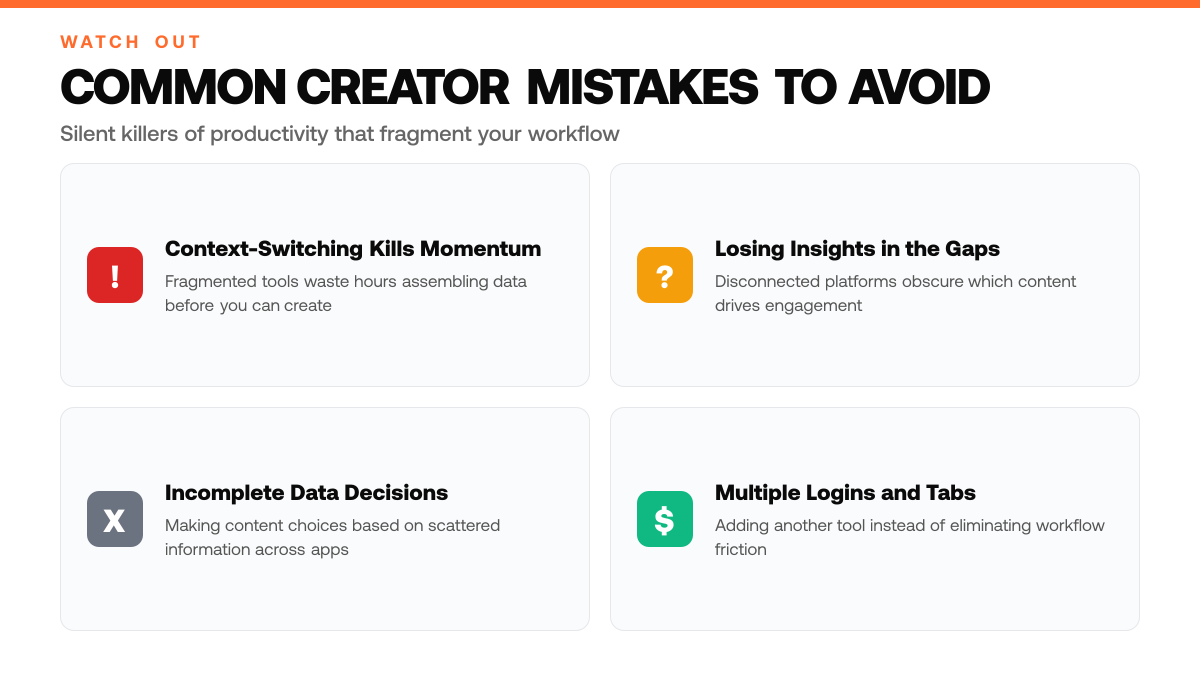
Most solo creators on X spend their mornings fragmented across separate tools: drafting in one app, scheduling in another, checking analytics in a third. By the time they've assembled the data they need to understand what resonates with their audience, hours have passed and the momentum to create is gone. This constant context-switching is a silent killer of productivity, and of growth.
The bottleneck is real. Content creators need to write, schedule, and measure performance, but doing so across disconnected platforms means repeating information, losing insights in the gaps between tools, and making content decisions based on incomplete data. Research shows that creators actively seek integrated solutions that consolidate these workflows, reducing the friction between ideation and execution.[1]
This article explores how an integrated dashboard approach eliminates that fragmentation. You'll learn why keeping your writing, scheduling, and analytics in one place matters, how to make data-informed decisions without leaving your workspace, and what to look for in a tool that actually saves you time instead of adding another tab to your browser.
TL;DR
- ClimbX is a unified dashboard that consolidates writing, scheduling, and performance analytics for X content in one interface, eliminating the need to switch between separate tools.
- Solo creators use it to streamline their workflow and focus on audience growth without managing multiple platforms or losing momentum between content creation and publishing.
- The biggest mistake creators make is fragmenting their process across disconnected tools, which wastes time and obscures which content actually drives engagement and follower growth.
Understanding Professional Content Creation Without Context-Switching
What Is a Unified Creator Dashboard?
A unified creator dashboard is a single workspace that combines writing assistance, content scheduling, and real-time performance feedback into one interface. Instead of toggling between a writing tool, a scheduler, and an analytics platform, creators access all essential functions from a centralized hub. This consolidation eliminates the friction of jumping between separate applications and reduces the cognitive load of managing multiple logins, tabs, and workflows. The dashboard approach streamlines the entire content lifecycle, from ideation and drafting through publication and measurement, allowing creators to stay focused on what matters most: creating valuable content.[4]
Why Unified Dashboards Matter for Solo Creators
Solo creators and solopreneurs operate with limited time and resources, making efficiency non-negotiable. Every minute spent switching between tools is a minute not spent writing, engaging with followers, or analyzing what resonates with an audience. Unified dashboards address this core pain point by consolidating workflow steps that previously required jumping between separate applications. When writing assistance, scheduling, and performance metrics live in one place, creators can work faster, reduce decision fatigue, and spend more energy on strategic thinking rather than administrative overhead. This is especially critical for creators trying to grow followers and increase impressions on platforms like X, where consistency and data-driven iteration directly impact monetization potential.
The Shift in Creator Economy Tooling
The creator economy has evolved significantly as platforms and tools have matured. Early-stage creators relied on disconnected point solutions, one app for writing, another for scheduling, yet another for analytics. Today's landscape reflects a fundamental shift toward integrated platforms that recognize the creator's real bottleneck: not the individual features, but the time wasted managing them. Tools now combine writing assistance, scheduling, and real-time performance feedback to reduce the time creators spend on non-creative tasks. This consolidation trend reflects a broader understanding that the most valuable tool is not the one with the most features, but the one that keeps creators in a flow state, minimizing friction and maximizing output quality.[4]
Key Numbers for Create Professional Content Faster Without Leaving Your Dashboard (2026)
- 85% of content creators now use at least one AI tool in their workflow
- AI writing tools can produce content 5-10x faster than traditional methods
- Video content created with AI tools sees 40% faster production cycles
- AI content creation market reached $1.2 billion in 2025, with tools reducing production time by 60-80%
- Business intelligence market projected to hit $56.28 billion by 2030, up from $38.15 billion in 2025[4]
Step-by-Step Process
1. Map Your Content Workflow From Idea to Publishing
Start by documenting your entire content creation process, from initial concept through final scheduling and publication. Identify each stage where decisions are made: topic selection, format choice, caption writing, timing, and posting. Use a centralized dashboard to visualize this workflow so you can spot bottlenecks and redundancies. This systematic approach ensures you're not recreating processes each time you create content, saving time and reducing decision fatigue.
2. Consolidate Your Performance Data Into One View
Pull engagement metrics, impressions, likes, replies, shares, and follower growth, from your X account into a single integrated dashboard. Rather than toggling between multiple tools and spreadsheets, having all performance data in one place lets you quickly see which content types, topics, and posting times generate the strongest results. This consolidated view becomes your source of truth for understanding what resonates with your audience.[3]
3. Identify Patterns in Your Top-Performing Content
Review your dashboard to spot trends: Do threads outperform single posts? Do certain topics consistently drive more engagement? Do you get better results posting at specific times? Document these patterns in a simple reference guide. This data-driven insight replaces guesswork and helps you allocate your creative energy toward formats and topics that actually work for your audience, making future content creation faster and more intentional.
4. Iterate Your Strategy Based on Real-Time Insights
Use your dashboard's performance trends to refine your content calendar for the next week or month. If analytics show that educational threads posted on Tuesday mornings drive the most engagement, prioritize that format and timing. Continuously test small variations, different hooks, topic angles, or posting windows, and measure results. This iterative cycle transforms your dashboard from a reporting tool into a strategic planning tool, enabling faster decisions and consistent improvement without leaving your workspace.
How This Works in Practice
Example 1: The Niche Creator's Weekly Rhythm
Picture a creator focused on productivity and remote work who publishes 5 posts a week across X. Previously, they toggled between a note app, a spreadsheet, and X itself, losing track of which topics resonated and scrambling each Monday to plan the week ahead. By consolidating into a single dashboard, they now see at a glance which posts from the previous week earned the most impressions and engagement. On Sunday evening, they spend 30 minutes reviewing those metrics, identifying the threads and angles that performed best, and drafting the next week's calendar with confidence. Within 3 weeks, they noticed their content felt more intentional; they weren't guessing anymore. The time saved on context-switching alone freed up hours they reinvested in deeper research and higher-quality writing, which pushed their follower growth noticeably forward.
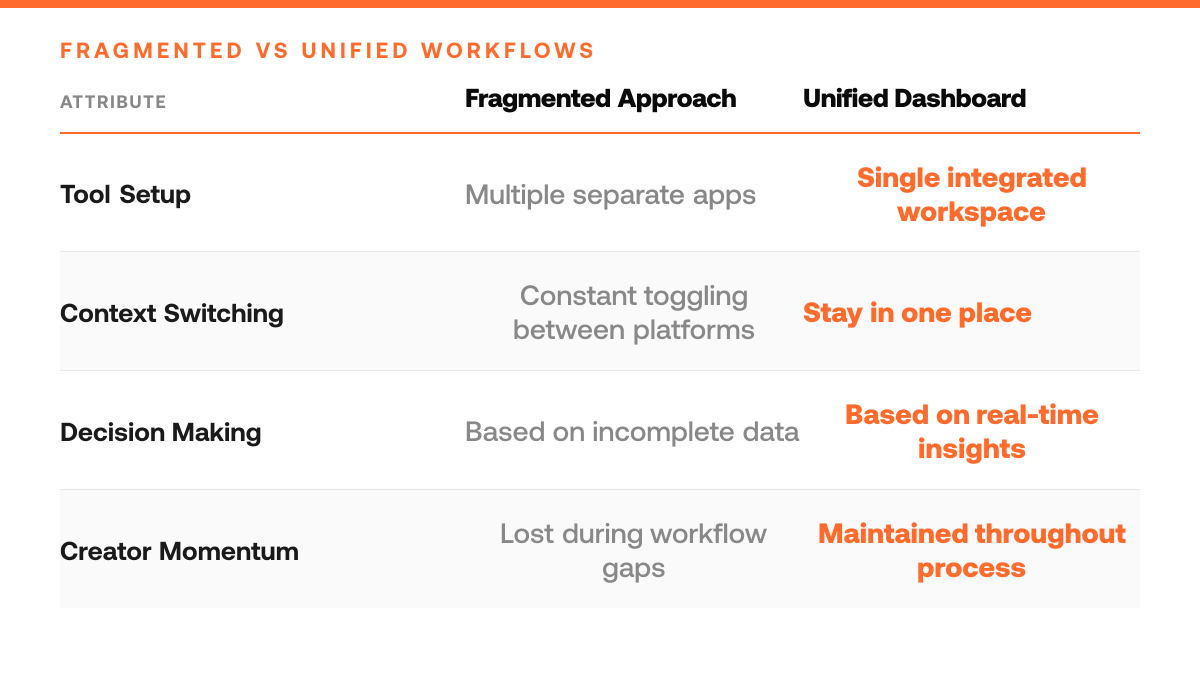
Fragmented vs. Unified Creator Workflow
| Fragmented Approach | Unified Dashboard Approach |
|---|---|
| Writing in one app, scheduling in another, analytics in a third | All writing, scheduling, and analytics in a single workspace |
| Hours spent assembling data from multiple sources before making decisions | Real-time performance feedback without leaving your workspace |
| Repeating information across platforms and losing insights in gaps between tools | Complete data visibility across the entire content lifecycle |
| Decision fatigue from managing multiple logins, tabs, and workflows | Reduced cognitive load and focus on strategic thinking |
Example 2: The Solopreneur Scaling Audience and Offers
Consider a solopreneur selling a digital course who treats X as their primary audience-building channel. They'd been posting sporadically, never quite sure which content angles drove traffic to their landing page or which followers were genuinely interested in their offer. After moving to a unified dashboard, they could track not just impressions and likes, but also which posts generated clicks and conversions. Over the course of 2 weeks, they identified that case-study-style threads outperformed motivational quotes by a wide margin. They adjusted their calendar to emphasize case studies, tested new formats within days rather than weeks, and iterated based on real data instead of intuition. The faster feedback loop meant they could test, learn, and refine their content strategy multiple times per month instead of once, compressing months of traditional trial-and-error into weeks.
Why Speed Compounds Growth
Both creators share a common thread: consolidating their tools eliminated the friction between publishing and learning. When performance data lives in the same place as your content calendar, iteration stops being a quarterly review and becomes a weekly habit. That compounding effect, testing more, learning faster, adjusting sooner, is what separates creators who plateau from those who build genuine momentum.
Pre-Launch Dashboard Optimization Checklist
- Audit your dashboard layout and organize content templates by topic to eliminate setup friction before increasing posting frequency.
- Configure performance tracking metrics to monitor impressions, engagement, and follower growth in real time as you scale.
- Test your posting workflow end-to-end, from drafting to scheduling, to identify bottlenecks before ramping up cadence.
- Review and refine your content calendar structure to ensure templates align with your audience's peak engagement windows.
Common Mistakes to Avoid
Mistake: Posting without tracking performance metrics or adjusting based on data
Creators who publish consistently but ignore impressions, engagement rates, and follower growth miss critical signals about what resonates with their audience. This leads to wasted effort on content that doesn't convert or grow reach. Fix: Review your analytics weekly, track which posts drive the most impressions and engagement, then double down on those formats and topics. Use your dashboard's built-in analytics to spot patterns before investing time in the next batch of content.[2]
Creator Productivity Killers: Do and Don't
| Anti-Pattern (Don't) | Best Practice (Do) |
|---|---|
| Context-switching between separate tools throughout your day | Keep writing, scheduling, and analytics in one consolidated hub |
| Making content decisions based on incomplete data from disconnected platforms | Use real-time performance metrics to iterate on what resonates |
| Spending hours on administrative overhead managing multiple logins and tabs | Invest time in creating valuable content and engaging with followers |
| Fragmenting your workflow across point solutions | Consolidate your entire content lifecycle in a unified workspace |
Mistake: Manually writing and formatting every post without AI assistance
Solo creators who refuse to leverage AI tools for drafting, editing, or ideation often face burnout and publish inconsistently, which tanks algorithmic visibility. Manual-only workflows also introduce gaps between posting schedules, signaling to platforms that the account is inactive. Fix: Integrate an AI content tool into your dashboard workflow to brainstorm ideas, draft variations, and refine copy in minutes rather than hours. This keeps your cadence steady and frees mental energy for strategy.[2][3]
Mistake: Setting a posting schedule once and never revisiting it
Many creators establish a routine (e.g., three posts per week) but don't adjust timing or frequency based on when their audience is most active or engaged. Posting at off-peak times or maintaining a rigid schedule that doesn't match audience behavior wastes reach potential. Fix: Test different posting times and frequencies over a month, track which slots yield the highest impressions, and shift your schedule to align with your audience's peak activity windows.
Frequently Asked Questions
Why do generic social media dashboards fall short for X creators?
Generic dashboards are built to serve multiple platforms and content types, which means they lack the specialized features X creators need to succeed. Integrated dashboards designed specifically for X-focused creators include niche-specific analytics, engagement patterns unique to the platform, and content recommendations tailored to how audiences actually interact on X. This focused approach lets you skip irrelevant metrics and focus on what drives your growth.[1]
How do I know if AI content suggestions are actually working for my audience?
AI-powered content suggestions and scheduling are most effective when paired with consistent performance review and audience feedback loops. After implementing AI suggestions, review your engagement metrics weekly, track which suggested formats, hooks, and topics generate the most impressions and interactions. Use that feedback to refine the AI's recommendations, creating a cycle where the tool learns your audience's preferences over time rather than suggesting content in a vacuum.[1]
Can I schedule content and still stay authentic to my voice?
Yes. Scheduling tools paired with AI co-writers that analyze your existing posts can draft new content in your authentic voice rather than a generic template. The key is ensuring the AI has studied your past work, your tone, phrasing, and style, so suggestions feel like they came from you. Review and edit scheduled posts before they go live to maintain your voice and ensure the message aligns with current events or audience sentiment.
Start your 7-day trial
Grow on X without sounding like everyone else. The right tool learns from your top posts and the leading voices in your niche, then drafts content in your voice. You edit, approve, and ship.
Start free trialSources
Read next
- Why You Need a Personal Brand in 2026 - A practical look at why personal branding matters in 2026, how it builds trust and distribution, and what founders and professionals should do first.
- How to Use AI for Personal Branding Without Sounding Like AI - Use AI to research, organize, and draft personal-brand content without losing your voice, judgment, or credibility.