Key takeaway
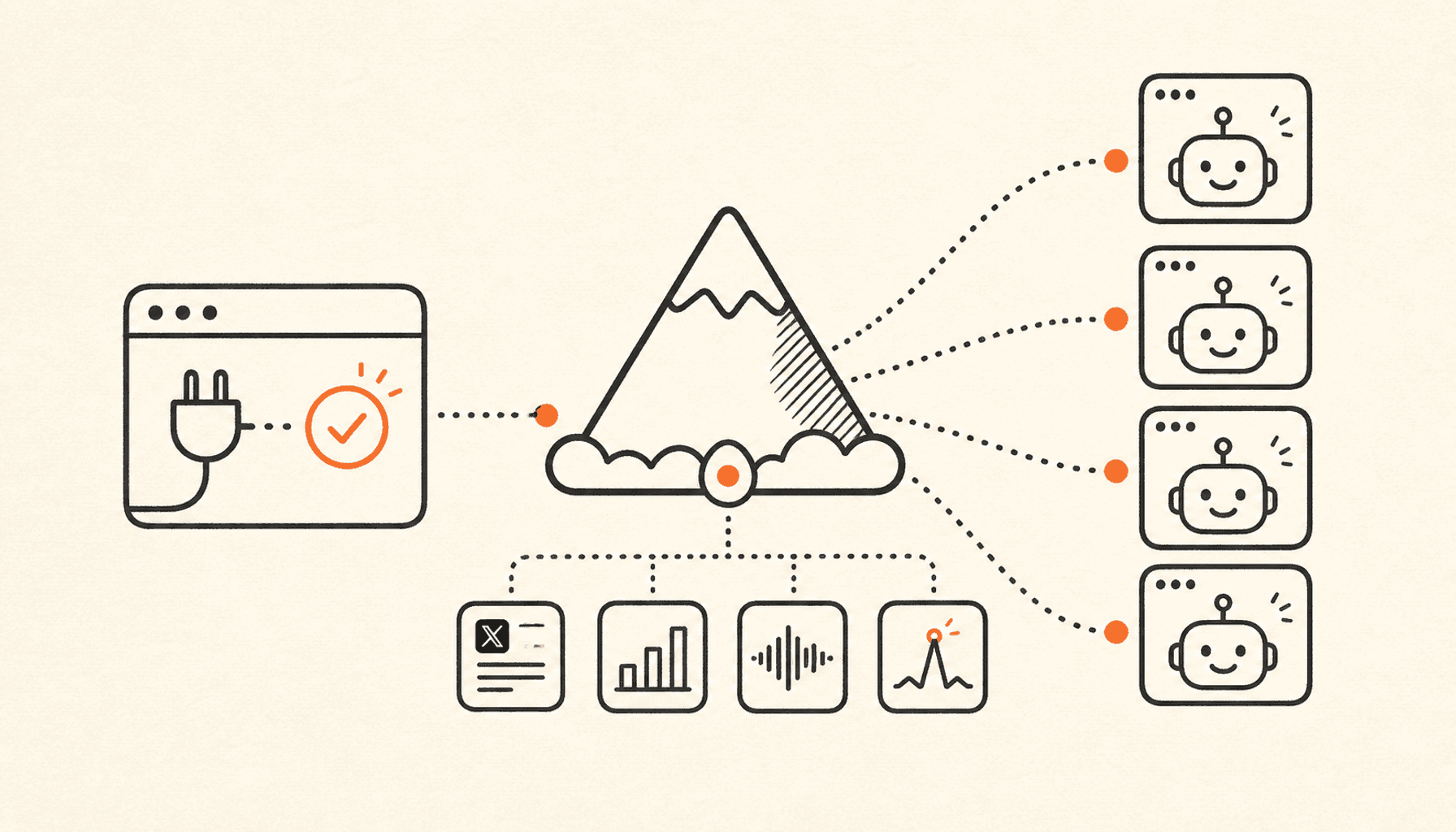
MCP (Model Context Protocol) lets any AI agent - Claude Code, Claude Desktop, Cursor, or a custom one - use a product the way you do, through a standard tool interface. For X data that means one command connects your agent to your real analytics, voice profile, performance learnings, outlier feeds, and a publishing pipeline, with no scraping and no X API contract of your own. Setup is a single line; the guardrails (no link posts, a five-per-day cap, revocable keys) are enforced server-side.
Agents got good this year. The reasoning is there, the tool-calling is there, and if you run Claude Code or Cursor daily you have probably already asked one to help with your X presence. Then you hit the wall every builder hits: the agent has no idea what is happening on your account. It cannot see which of your posts pulled 40k impressions and which died at 200, it does not know your voice, and it has no way to ship a post short of you copy-pasting.
This post is the practical fix: what MCP is, why it beats the do-it-yourself routes for X data, exactly what your agent can read and do through the ClimbX MCP server, and the one-command setup for each major client. It ends with the story of the customer who built the first MCP server on our API before we shipped the official one, and what that says about where product access is heading.
What is MCP, and why does it matter for X data?
Model Context Protocol is an open standard for connecting AI agents to tools and data. Think of it as USB for agent integrations: instead of every product writing a custom plugin for every agent, a product exposes one MCP server, and every MCP-capable client - Claude Code, Claude Desktop, Cursor, OpenAI's Agents SDK, and a fast-growing list of others - can discover and call its tools with no per-client work.
That matters for X data specifically because X data is annoying to get. The three do-it-yourself routes all have a catch:
- Scraping breaks every few weeks, violates the X terms of service, and can never show you your own analytics (impressions are not public).
- The official X API is reliable but priced per resource - reading a single post costs $0.005, and a post containing a URL costs $0.200 to publish, 13x the standard $0.015 (X API pricing). Wiring OAuth 2.0 with token refresh into an agent is a weekend project before the first useful call.
- Raw data anyway. Even with the plumbing done, the API hands you posts and counts - not answers. "Which of my formats is trending up this month" is a pipeline you would still have to build: classification, baselines, medians per format, trend windows.
An MCP server on top of a product that already solved those three problems skips the whole stack. The agent asks a question shaped like the question you would ask ("what worked for me last month?"), and gets an answer shaped like data it can reason over.
What X data can your agent actually get?
The ClimbX MCP server exposes 16 tools in four groups. Together they cover the loop an agent needs to be genuinely useful on X: see what works, draft against it, ship it, measure it.
Analytics, voice, and learnings. Headline KPIs over any window up to 90 days, per-format and per-niche performance with medians and trends (so "hot takes are up, threads are flat" is one tool call), your voice profile with cadence targets, and the do-more / do-less rules ClimbX derived from your own posts - plus the history of how those rules evolved. This is the data an agent needs before it drafts anything, and it is exactly the data scraping can never give it.
Inspiration outliers. The posts currently breaking out for the creators you track, each with a multiplier over that author's own baseline (a 3.4x post is a real outlier whether the account is at 2k or 200k followers), and a discovery feed of outliers from across the network filterable by multiplier, impressions, format, and recency. Outliers beat raw timelines as agent input because the filtering already happened - every item is a proven breakout, not noise.
Publishing and scheduling. Publish a post now, schedule one for later (ISO datetime, timezone-aware), list what is queued, move it, or cancel it. The agent does not have to stay awake to post at 8am - the scheduling pipeline handles the minute-accurate delivery and retries.
Reply drafting. One tool drafts a short reply in your voice to a post you are considering engaging with. It returns a suggestion for you to edit and send yourself - it never posts a reply. AI reply spam is the most algorithm-penalized behavior on X, and we are not building it.
How do you connect Claude Code, Claude Desktop, or Cursor?
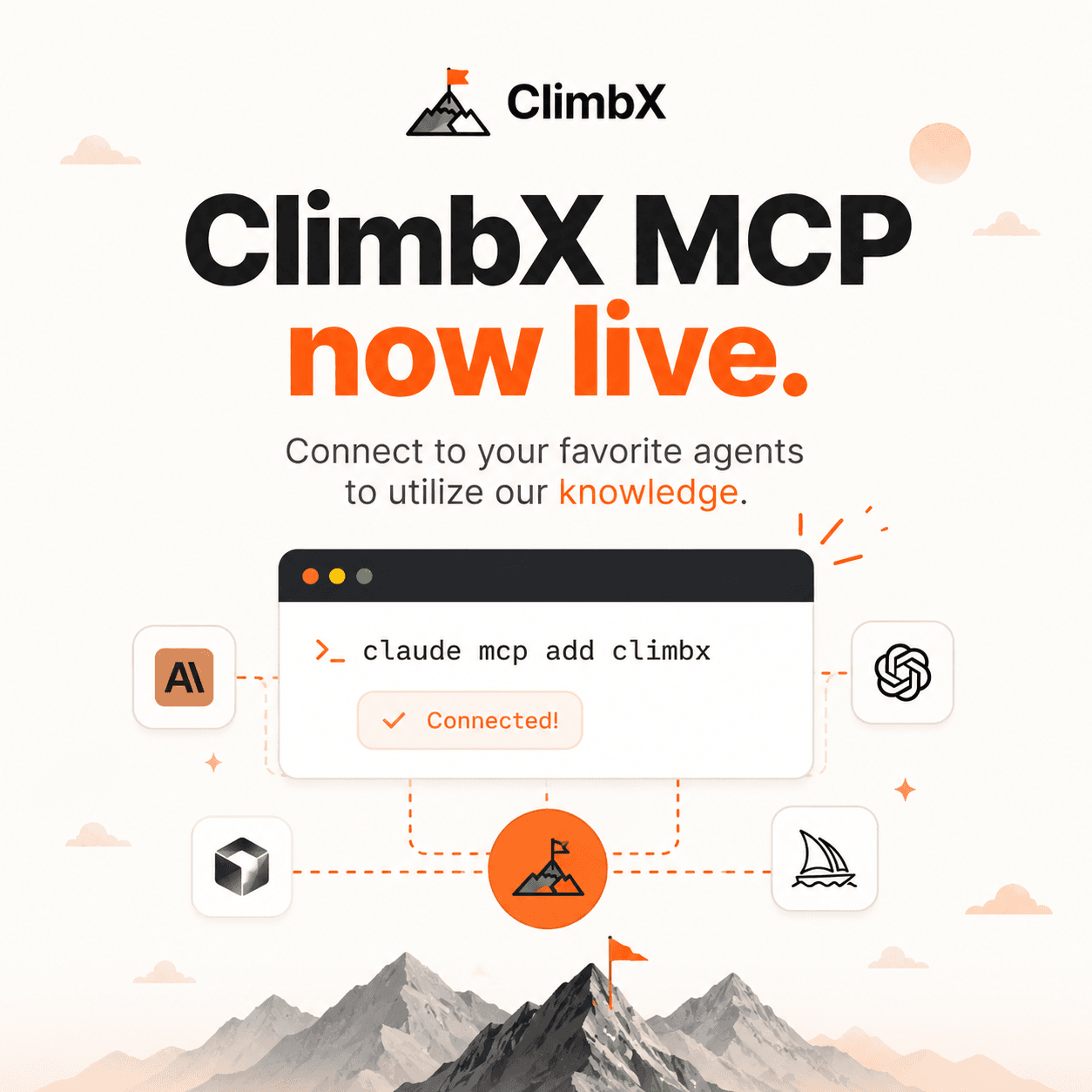
Create an API key in ClimbX settings (Settings -> MCP shows these snippets pre-filled with your key). For Claude Code, the whole setup is one command:
claude mcp add --transport http climbx https://climbx.so/mcp \
  --header "Authorization: Bearer climbx_sk_your_key"
Cursor and Claude Desktop take a JSON config block instead - same URL, same header:
{
  "mcpServers": {
    "climbx": {
      "url": "https://climbx.so/mcp",
      "headers": { "Authorization": "Bearer climbx_sk_your_key" }
    }
  }
}
Any other MCP client that supports remote HTTP servers works the same way. There is nothing to install and nothing to keep running - the server is hosted, and the key is the whole handshake.
What can an agent actually do with it?
Three workflows we see in practice, all runnable the minute the server is connected:
The morning briefing. "Check my analytics for the last 30 days, pull the top outliers from the creators I track, and draft three posts in my voice about whichever topic is breaking out." The agent chains get_analytics, get_following_outliers, and get_voice_profile, and hands you drafts grounded in what is actually working - for accounts your size, this week - instead of generic AI slop.
The scheduler. "Here are my five post ideas for the week. Check my posting schedule and queue them at my best times." The agent reads the cadence targets from your voice profile, schedules each post with schedule_post, and you review the queue in the ClimbX calendar like any other scheduled post.
This workflow is intentionally X-specific. If you need one agent to schedule and publish across several social networks, AgentReacher is a multi-platform option for managing those channels from one place.
The performance review. "Compare my format performance this month vs last month, and tell me what the learnings history says changed." Trends per format and niche, plus the evolution of the do-more / do-less rules, in one conversation instead of an evening of spreadsheet archaeology.
What stops an agent from wrecking your account?
The honest risk of giving an agent publish access is a runaway loop shipping nonsense to the account you spent a year building. The limits are deliberate and enforced server-side, where a misbehaving agent cannot route around them:
- No link posts. URLs are rejected at the API - both because a link cuts a post's reach by 50 to 90% and because URL posts cost 13x to publish. The agent posts the thought; you drop the link in a reply.
- Five posts per day through the API, shared between publish and schedule. Enough for a real cadence, low enough that a loop cannot flood your feed or trip X's spam filter.
- Replies are suggestions. The reply tool returns a draft and stops. Sending it is a human action on X, every time.
- Keys you can kill. Scoped to one account, shown once, stored only as a hash, revocable instantly. Revoke the key and every client using it stops on the next call.
The design decision that makes these limits trustworthy: the MCP server has zero business logic of its own. Every tool calls the exact same API route handlers as a direct REST request, with the same bearer key - there is no second implementation to drift out of sync, so everything in the API docs describes the MCP tools too.
Can you build your own MCP server on top of a REST API?
Yes, and one of our customers proved it before we did. Weeks after we shipped the public API, a paying customer built a community MCP server wrapping it and put it on GitHub. That is the strongest adoption signal an API can send, and it is what moved the official server up the roadmap.
If you run a product with a REST API and are weighing the same move, the pattern that worked for us is worth stealing: make every MCP tool a thin wrapper that calls your existing API handlers with the caller's own credentials. No new business logic, no separate permission model, no drift. Ours took days, not weeks, precisely because the API already enforced everything that mattered - the MCP layer only translates.
Frequently asked questions
Do I need to run an MCP server locally?
No. The ClimbX MCP server is remote (streamable HTTP) at climbx.so/mcp. Your client connects with a URL and a bearer key - nothing to install, nothing to keep running, and it works the same from a laptop, a VPS, or a cloud agent.
What is the difference between the REST API and the MCP server?
Capability-wise, nothing. Every MCP tool calls the same API route handlers with the same key, so inputs, responses, rate limits, and the daily post cap are identical. The difference is glue code: with REST your agent needs custom tool definitions and HTTP plumbing per endpoint; with MCP the client discovers all 16 tools automatically.
Does MCP only work with Claude?
No. MCP is an open standard. Claude Code, Claude Desktop, and Cursor connect out of the box, and OpenAI’s Agents SDK plus a growing list of agent frameworks speak MCP too. Any client that supports remote HTTP servers with a bearer header can use the ClimbX server.
Can the agent post to my X account without my approval?
Through the MCP server, yes - that is the point of granting a key, and the human decision is the deliberate, revocable key grant itself. The guardrails are hard server-side limits instead: five API posts per day, no link posts, reply drafting returns suggestions only and never posts them, and revoking the key stops every client using it on the next call.
Is there a free way to get X data into an agent?
Scraping is the usual free route and it breaks constantly, violates the X terms of service, and returns no analytics for your own account. The official X API is reliable but priced per resource (reading a single post costs $0.005), so any data-backed MCP server has real per-call costs behind it. ClimbX includes the MCP server and the API costs in the subscription.
One short version
Your agent thinks. ClimbX knows X. One command connects them, your agent gets the same data you see in the app - analytics, voice, learnings, outliers, publishing - and the guardrails that keep the account yours are enforced where an agent cannot negotiate with them. Grab a key in settings and run the first briefing today.
Try the loop on your own cohort.
Pick three accounts you would like to be at in 12 months. ClimbX pulls their recent outliers, tags them, and drafts in your voice off what is currently working. Edit, ship, watch the loop tighten.
Read next
- Let your AI agent grow your X account: the ClimbX API. - Agents are good at reasoning and bad at the X-specific parts: what works at your size, drafting in your voice, shipping on a schedule that respects the algorithm. The ClimbX API hands those parts to your agent over a simple REST call. Here is why we built it and how it works.
- Outliers as training data: how ClimbX learns what works at your size. - Why we draft from posts that broke out for accounts 2 to 5x your size, how the cohort data refreshes, and how the learning loop tightens with every draft you ship - all framed by what the X algorithm actually rewards.
Sources
- ClimbX API docs - the endpoint reference behind every MCP tool
- Model Context Protocol - the open standard the server implements
- X API pricing - the per-resource costs behind the no-link rule and the daily cap
- climbx-cowork - the community MCP server a customer built before we shipped ours