Most creators on X post content and hope it lands. They watch their analytics wondering which tweets sparked engagement, which topics their followers actually want to see, and why some days bring a flood of impressions while others fall flat. This guesswork wastes time and leaves growth on the table.
Solo creators and solopreneurs face a real challenge: building a loyal community and growing an audience requires understanding what resonates with your followers. Without clarity on what content works, you can't scale your reach, increase impressions, or unlock the monetization opportunities that come with a larger, more engaged audience. The difference between random posting and strategic community building is knowing what your audience actually wants. The data behind X Spaces for Solo Creators tells the same story.
This guide covers how to use community-building features designed for solo creators to stop guessing and start growing. You'll learn how to identify content patterns that drive engagement, build followers intentionally, and create the conditions for sustainable audience growth and monetization. Most creators waste months copying what looks popular in their niche, only to discover their audience responds to a completely different angle, ClimbX scans top performers' outlier posts alongside your own highest-engagement patterns, then feeds both signals into Cliff to draft posts that compound growth without the guesswork.
TL;DR
- Engage is a community-building feature that helps creators track and understand audience interactions through engagement metrics and data insights.
- It empowers creators to make informed content decisions by revealing which topics resonate, enabling smarter audience growth strategies.
- Most creators miss that engagement data only drives growth when paired with consistent, intentional content iteration based on those insights.[1]
Understanding Community Building on Social Platforms
What Is Community Building in the Creator Economy?
Community building on social platforms is the deliberate process of cultivating a group of engaged followers who consistently interact with your content, share your perspective, and become advocates for your work. Unlike passive audience growth focused on follower counts alone, true community building emphasizes quality relationships and meaningful engagement. It involves understanding your audience's behavior patterns, preferences, and what types of content resonate most deeply with them. A thriving community becomes a foundation for sustainable influence, where members feel invested in your success and actively participate in conversations rather than simply consuming content.[2]
Why Community Building Matters for Solo Creators
For solopreneurs and independent creators, a loyal, engaged community is far more valuable than vanity metrics like follower count alone. An authentic community drives consistent engagement, amplifies your reach through shares and conversations, and creates opportunities for monetization through sponsorships, products, or services. Effective engagement strategies require consistent interaction, genuine communication, and responsive community management, showing up regularly, answering questions, and acknowledging your audience's contributions. Creators who prioritize building real relationships over chasing metrics find that their influence compounds over time, attracting collaborations and business opportunities that wouldn't emerge from passive follower growth.[2]
The Creator Economy Rewards Engaged Communities
The modern creator economy has fundamentally shifted to reward creators who build loyal, engaged audiences rather than those pursuing inflated follower numbers. Platforms increasingly prioritize content from accounts with high engagement rates and community interaction, meaning your growth and visibility depend on how actively your audience participates. Brands, sponsors, and platforms themselves recognize that an engaged community signals authentic influence and trustworthiness. This shift means solo creators who invest time in understanding audience preferences, responding to feedback, and fostering genuine connections gain a competitive advantage, their communities become self-sustaining engines of growth that support long-term monetization and influence.[2]
Step-by-Step Process
1. Set up community-building workflows in Engage
Start by configuring your Engage workspace to automate audience interactions and content distribution. Define your community goals, whether that's increasing reply rates, fostering discussion threads, or nurturing a core group of loyal followers. Map out your posting schedule, response protocols, and engagement triggers so that interactions happen consistently without manual intervention each time. This foundation ensures your community-building efforts scale as your audience grows.[1]
2. Track engagement metrics across your content
Monitor which posts generate the most replies, retweets, and impressions using Engage's analytics dashboard. Pay attention to patterns: which content themes resonate most, which audience segments engage earliest, and which formats drive sustained conversation. Document these insights over time so you can spot trends rather than reacting to single outliers. This data becomes your roadmap for what actually works with your specific audience.[1]
3. Identify high-performing themes and audience segments
Analyze your engagement data to isolate which content pillars (industry insights, personal stories, tutorials, etc.) attract your most active followers. Segment your audience by engagement level and content preference, some followers may engage heavily with educational posts while others prefer behind-the-scenes updates. Use Engage's segmentation tools to see which themes drive growth among your most valuable community members, then prioritize those themes in your content calendar.[1]
4. Iterate your content strategy based on engagement data
Test variations of your high-performing themes: adjust tone, format, posting time, or topic angle based on what the data reveals. If a particular audience segment responds to longer-form threads, create more of those. If certain themes drive follower growth faster than others, allocate more content slots to them. Measure the impact of each iteration, then refine again. This cycle of testing and refinement compounds over weeks, turning engagement insights into steady follower and impression growth.[1]
How This Works in Practice
Example 1: The Niche Creator Finding Content Gaps
Picture a solo creator who built a modest following around productivity tips for freelancers. After posting consistently for several months, engagement plateaued, comments dried up, and impressions stayed flat. Using Engage, she tracked which posts sparked replies and which fell silent. She noticed her audience asked repeatedly about tax deductions in the replies, yet she'd never published on that topic. Within weeks of shifting her content calendar to address these gaps, her reply counts doubled and her follower growth accelerated. The data showed her what her audience actually wanted, not what she assumed they needed.
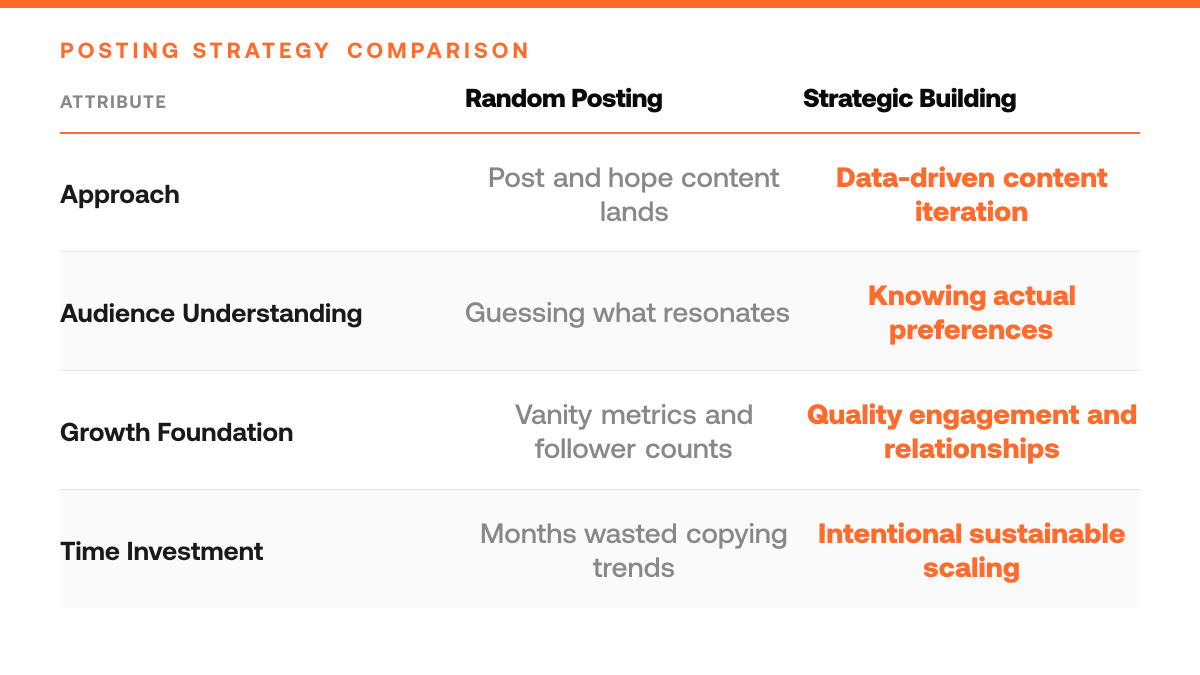
Random Posting vs Strategic Community Building
| Random Posting Approach | Strategic Community Building Approach |
|---|---|
| Post content and hope it lands | Identify content patterns that drive engagement |
| Watch analytics without clarity on what works | Understand which topics followers actually want |
| Copy what looks popular in your niche | Scan top performers' outlier posts and your own patterns |
| Waste time on guesswork and leave growth on the table | Make informed content decisions based on data insights |
Example 2: The Creator Scaling Beyond a Niche Audience
Consider a creator who started by serving a tight community of indie game developers. His early posts reached only a handful of people, but Engage revealed that posts about game design principles attracted engagement from a much broader audience, not just developers, but artists, writers, and product designers. By analyzing which topics resonated outside his original niche, he gradually rebalanced his content strategy. Over the following months, his follower base diversified and his reach expanded significantly. Consistent, data-informed engagement decisions let him grow beyond his starting niche without abandoning his core audience.
Why Data Beats Guessing
Both creators faced the same challenge: they were posting without clarity on what actually resonated. Engage transforms that guesswork into a feedback loop. By watching how audiences respond, which topics spark conversation, which posts attract new followers, which gaps exist in the content landscape, creators move from hope to strategy. Monetization follows naturally when you're consistently delivering what your audience values.
Engage Community Building Checklist
- Set up your Engage workspace and connect your X account to begin tracking follower growth and engagement metrics in real time.
- Define your core community-building metrics, impressions, engagement rate, follower velocity, and establish baseline measurements before launch.
- Schedule a weekly review cadence to monitor which content types drive the highest engagement and adjust your posting strategy accordingly.
- Audit your existing X content for performance patterns and identify the topics and formats that resonate most with your audience.
- Create a pre-launch optimization plan that maps your content calendar to audience growth goals for the first month of active promotion.
Common Mistakes to Avoid
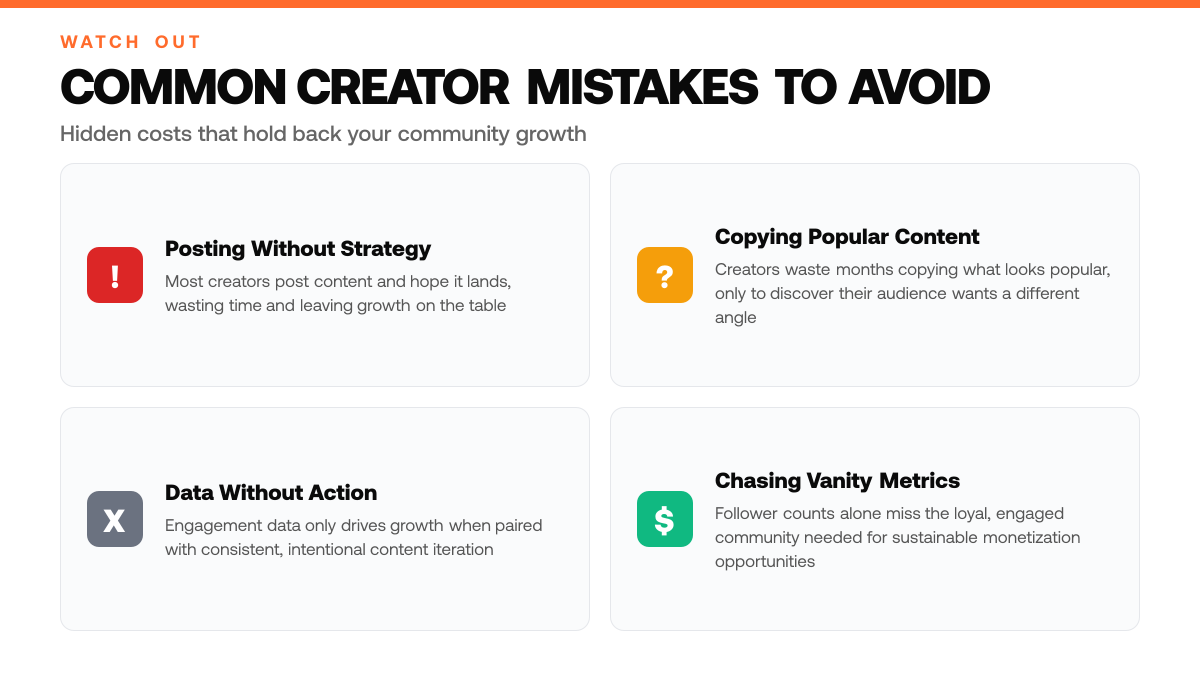
Mistake: Chasing follower count while ignoring engagement metrics and community loyalty
Creators often optimize for vanity metrics, raw follower numbers, without tracking replies, retweets, saves, or repeat engagement from the same audience members. This leads to hollow growth that doesn't translate to monetization opportunities or sustainable influence. Instead, focus on engagement rate, reply depth, and audience retention signals. Use Engage to monitor which followers return and interact consistently, then double down on content that builds loyalty over mere reach.[4]
Vanity Metrics vs Engaged Community Focus
| Vanity Metrics Focus | Engaged Community Focus |
|---|---|
| Prioritize follower count alone | Build loyal, engaged followers who interact consistently |
| Passive audience growth | Quality relationships and meaningful engagement |
| Inconsistent visibility and reach | Consistent engagement and amplified reach through shares |
| Limited monetization opportunities | Sponsorships, products, and service opportunities |
Mistake: Posting inconsistently or ignoring audience engagement signals in real time
Sporadic posting and failure to respond to audience feedback fractures momentum and signals to algorithms that your community isn't active. Followers lose trust when they can't predict your cadence, and you miss opportunities to understand what resonates. Set a consistent posting schedule and actively monitor replies, mentions, and DMs for content cues. Track which posts spark conversation and adjust your strategy accordingly to reinforce what your audience actually wants.[4]
Mistake: Building content without referencing audience feedback or engagement data
Creating in a vacuum, without checking what your audience comments on, asks about, or shares, means your content drifts away from their needs and interests. This misalignment stalls growth because the algorithm favors content that sparks genuine interaction, not broadcast-style posts. Review engagement patterns regularly: which topics get questions, which posts get saved, which threads get retweeted. Let that data guide your editorial calendar so every piece serves your audience's actual interests.[4]
Frequently Asked Questions
How is community building different from just posting content?
Community building goes beyond broadcasting, it creates spaces where your audience interacts with each other, not just with you. Basic analytics show you who engaged with a post; community building reveals patterns in what topics, formats, and voices resonate deeply enough to spark conversation. Research shows that engaged communities drive higher lifetime value and stronger monetization potential because members become repeat supporters rather than one-time viewers.[3]
How long before I see real growth in followers and engagement?
Growth timelines depend on consistency and audience fit. Many creators see measurable shifts in engagement within weeks of implementing a community-focused strategy, though follower growth typically compounds over time as your core audience expands and shares your content. The key is tracking what works early, which formats, topics, and posting patterns generate the most meaningful interaction, then doubling down on those signals rather than guessing.
Where does Engage fit into my overall growth and monetization plan?
Engage is the foundation layer. It helps you identify what content actually resonates with your audience and builds the engaged community that platforms reward with visibility and monetization opportunities. A stronger, more active community becomes your asset for sponsorships, paid offerings, and platform-native revenue streams. Without this layer, growth feels random and monetization stays shallow.
Sources
Try the loop on your own cohort.
Pick three accounts you would like to be at in 12 months. ClimbX pulls their recent outliers, tags them, and drafts in your voice off what is currently working. Edit, ship, watch the loop tighten.
Read next
- The Complete Guide to Finding Content Ideas That Actually Convert - The Complete Guide to Finding Content Ideas That Actually Convert. A practical guide to what works, what to skip, and how to get started.
- Best Postwise Alternatives in 2026 - Compare Postwise alternatives for AI writing, X research, scheduling, analytics, automation, and multi-network publishing.
- 5 Twitter List Strategies Solo Creators Are Missing - 5 Twitter List Strategies Solo Creators Are Missing. A practical guide to what works, what to skip, and how to get started.