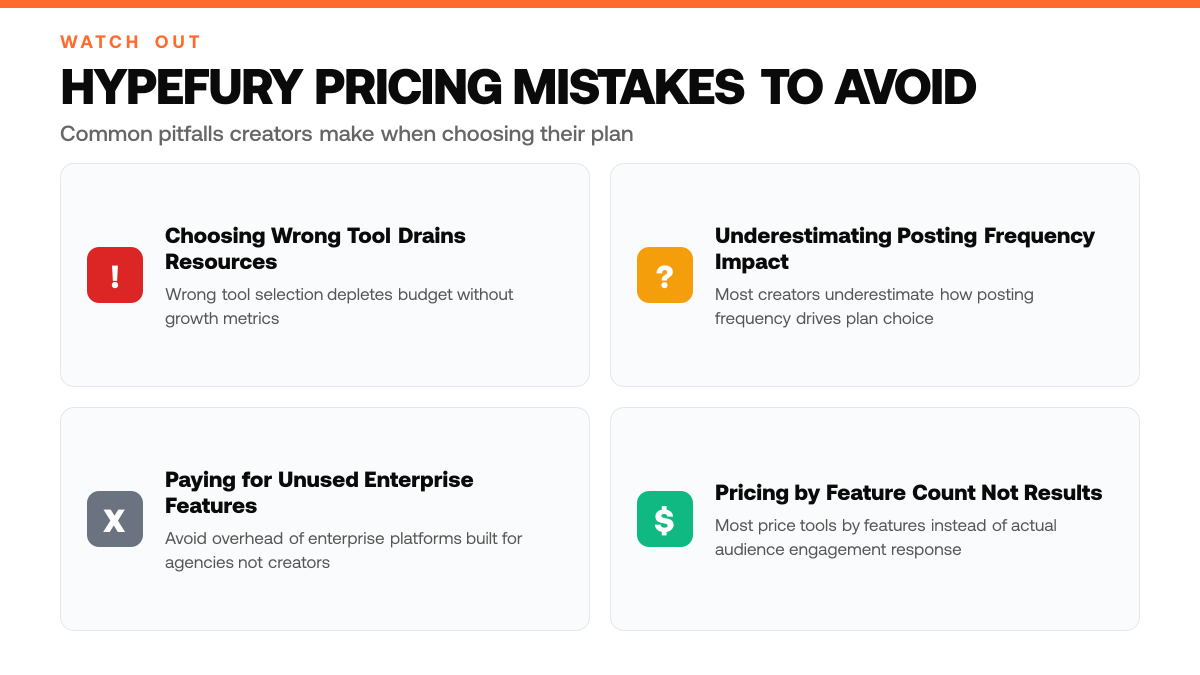
Most creators building an audience on X face the same dilemma: which content scheduling tool actually fits their budget and workflow? The market offers dozens of options, each with a different pricing model and feature set. For solo creators and solopreneurs, choosing the wrong tool can drain resources without delivering the growth metrics that matter, follower velocity, impression reach, and audience engagement.
Hypefury has emerged as a focused solution for creators who want to schedule posts, analyze performance, and optimize their content strategy on X without the overhead of enterprise platforms. The tool's pricing structure spans multiple tiers, each designed to serve creators at different growth stages. Understanding what you'll actually pay, and what you get at each level, is essential before committing to a subscription.[1]
This article breaks down Hypefury's current pricing plans, examines what features you unlock at each tier, and helps you determine which option aligns with your growth goals and budget. We'll walk through the cost structure, compare what you're paying for, and show you how to evaluate whether the investment makes sense for your content strategy. Most creators price their tools by feature count rather than by what their actual audience responds to, leaving money on the table with every post, ClimbX analyzes your top 100 posts to surface your highest-performing formats and hooks, then drafts new content in your voice that compounds engagement over time.
TL;DR
- Hypefury offers a free tier plus multiple paid plans, each designed for different posting volumes and analytics needs
- Your best fit depends on how often you post, how deep your analytics insights need to go, and whether you're actively monetizing your audience
- Most creators underestimate how much posting frequency drives plan choice, daily schedulers need different tools than weekly posters[1]
Understanding Hypefury Pricing
What Is Hypefury?
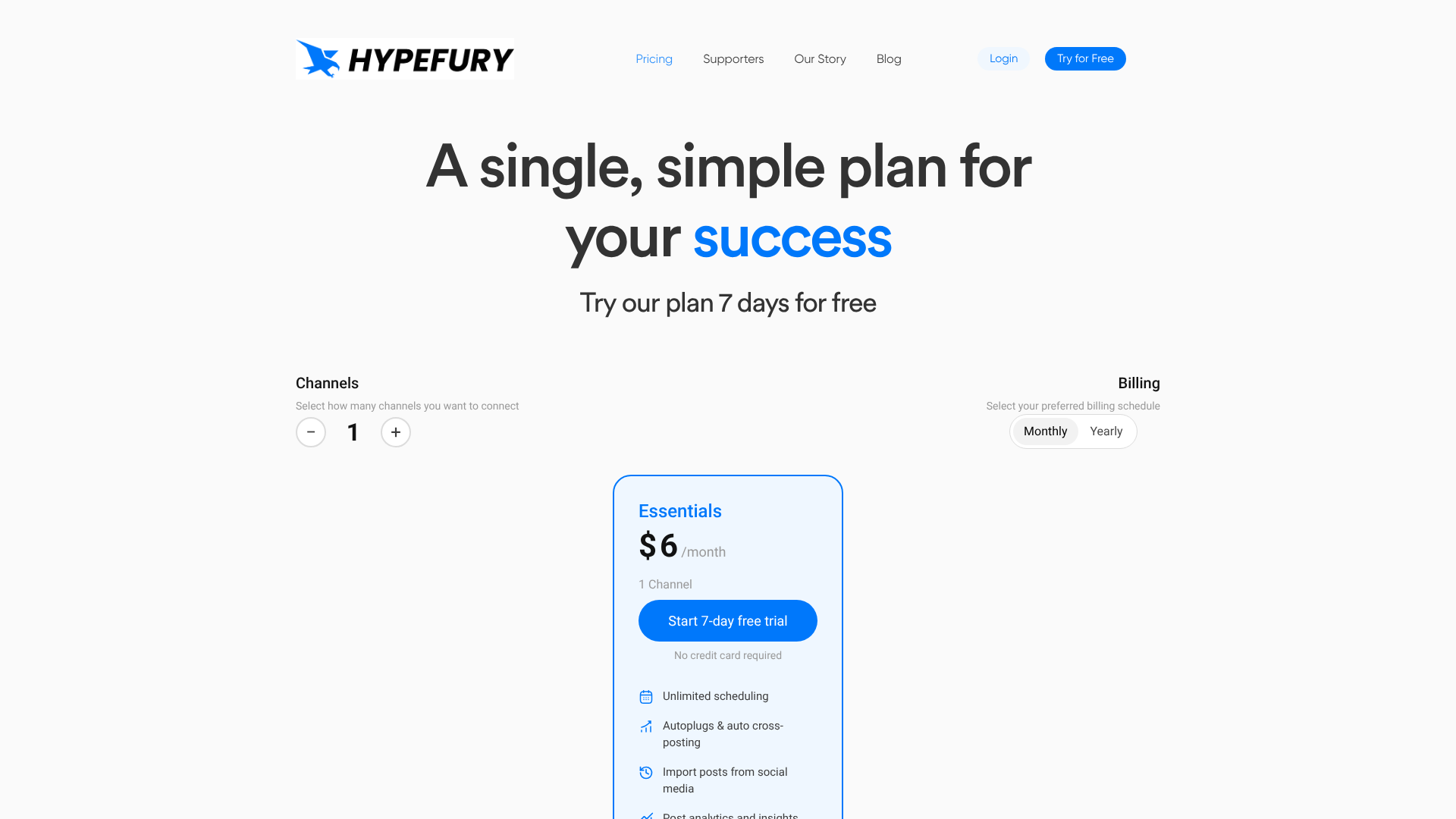
Hypefury is a content management platform built specifically for creators on X (formerly Twitter) who want to scale their audience and monetize their influence. At its core, the tool automates content scheduling, thread creation, and performance analytics, eliminating the manual work of posting consistently and tracking what resonates with your followers. Rather than guessing which tweets drive engagement, Hypefury surfaces data-driven insights about your audience behavior, helping you refine your content strategy over time.[2]
Why Hypefury Pricing Matters for Solo Creators
Solo creators and solopreneurs often juggle multiple responsibilities, content creation, community engagement, and business operations, leaving little time to optimize their X presence manually. Hypefury's tiered pricing structure lets you choose a plan that matches your current needs and growth stage, rather than paying for enterprise features you don't use. Each tier unlocks different capabilities, from basic scheduling in entry-level plans to advanced audience insights and monetization tracking in higher tiers, ensuring you only invest in the tools that directly support your revenue goals.[3]
The Broader Social Media Tool Landscape
Content scheduling and analytics tools have become essential infrastructure for creators serious about audience growth. The market offers a range of solutions at different price points, but most are designed for agencies or multi-channel brands rather than X-focused creators. Hypefury stands apart by concentrating its feature set on X's unique dynamics, thread creation, audience segmentation, and performance tracking, making it a specialized alternative for creators who want depth in one platform rather than shallow features across many.
Key Numbers for Hypefury Pricing 2026: What You'll Actually Pay
- $19 - $49/month for Twitter and LinkedIn scheduling, threads, and auto-engagement[2]
- $25 - $150/month across Hypefury's entry to agency plans
- Scheduling tools in the DIY category average $50 - $300/month industry-wide[2]
- Entry-level social media management tools typically start at $20 - $30/month
- Four distinct pricing tiers (Starter, Creator, Business, Agency) with feature scaling[2]
Step-by-Step Process
1. Assess your current posting volume and content goals
Before comparing Hypefury plans, evaluate how often you post on X per week and what you're trying to achieve, whether that's growing followers, increasing impressions, or building toward monetization. Document your baseline metrics: current follower count, average engagement rate, and posting frequency. This clarity helps you identify which plan tier actually matches your workflow rather than overpaying for features you won't use.[1]
2. Review your analytics and engagement tracking needs
Determine what data matters most to your growth strategy. Do you need detailed post-level analytics, audience insights, or competitor tracking? Different Hypefury tiers offer varying depths of analytics, some focus on scheduling and posting volume, while others include advanced performance metrics and audience behavior analysis. Match your analytics appetite to the plan's reporting capabilities so you're not blind to what's working.[1]
3. Compare plan features against your growth stage and budget
Hypefury offers multiple pricing tiers designed for different creator stages. Align each tier's feature set, content library size, scheduling limits, AI writing tools, analytics depth, with your current growth stage and monthly budget constraints. A solopreneur starting out may need less than someone scaling to multiple accounts. Review what each plan unlocks and calculate the cost per posting slot or per analytics feature to find genuine value.[1]
4. Identify revenue-aligned features that justify the investment
If monetization is your goal, prioritize features that directly support earning potential: audience growth tools, engagement tracking, and content optimization insights. Some plans include AI-powered content suggestions or hashtag research that can accelerate follower growth and impression gains, both critical for unlocking sponsorships and affiliate opportunities. Ensure the plan you choose includes at least the core features needed to measure and improve your path to revenue.
How This Works in Practice
Example 1: The Micro-Creator Staying Lean
Picture a solo creator posting 2 - 3 times weekly on X, building a following from scratch with limited budget. She's focused on consistency and learning what resonates with her audience before investing heavily in tools. The free or starter plan covers her immediate needs: scheduling those few weekly posts, viewing basic engagement metrics, and tracking which topics drive the most replies. She doesn't need advanced audience segmentation or revenue dashboards yet, her priority is proving the concept and establishing a steady posting rhythm. Within a few months, as her follower count grows and she understands her audience better, she can evaluate whether upgrading makes sense. Until then, the lean tier keeps her operational without friction or unnecessary cost.
When to Choose Hypefury vs Manual Posting
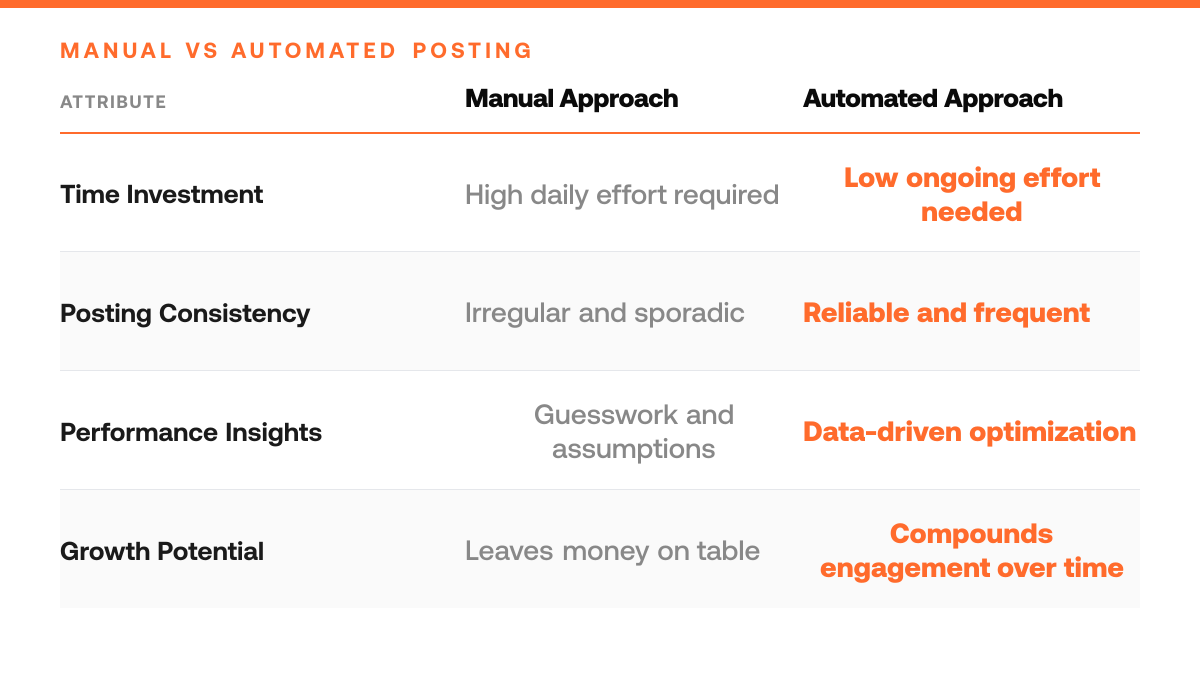
| Posting Frequency | Hypefury Fit | Manual Approach Risk |
|---|---|---|
| Daily scheduling needs | Essential, automates consistency and frees time for strategy | Burnout from manual posting and missed engagement windows |
| Weekly posting rhythm | Valuable, analytics insights justify tier investment | Leaves performance data unanalyzed, content strategy unoptimized |
| Monetization focus | Critical, tracks audience insights and revenue metrics | Guessing which content drives monetizable engagement |
| Enterprise multi-channel work | Misaligned, Hypefury specializes in X depth, not breadth | Better served by general-purpose multi-platform tools |
Example 2: The Creator Ready to Monetize
Consider a creator who has grown to a meaningful following and is now exploring monetization, sponsorships, affiliate links, or platform payouts. She needs visibility into which audience segments engage most, so she can pitch sponsors with confidence and tailor offers to her strongest demographics. Professional-tier features like advanced analytics, audience segmentation, and revenue tracking become essential: she can see exactly which follower cohorts convert, which content drives the highest-value engagement, and where her income is coming from. These tools transform her from guessing at what works to making data-backed decisions about partnerships and content strategy. The upgrade cost is offset by the ability to negotiate better sponsorship deals and optimize her monetization mix.
Why Tier Choice Matters
Both creators are using the same platform, but at different stages of their journey. The micro-creator needs simplicity and low friction; the monetizing creator needs insight. Choosing the right tier means paying for what you actually use, not what sounds impressive, and knowing when to upgrade based on real business goals, not arbitrary feature lists.
Hypefury Pricing Plan Checklist
- Review your planned posting frequency against Hypefury's tier limits to ensure your content volume fits within the plan's scheduling constraints.
- Confirm the analytics dashboard depth matches your needs for tracking audience growth and engagement metrics.
- Verify the plan's content calendar capacity aligns with your monthly content production schedule.
- Check whether the tier includes monetization-focused analytics for measuring revenue-driving performance.
- Compare your audience size against the plan's feature access to confirm you're not outgrowing the tier too quickly.
Common Mistakes to Avoid
Mistake: Picking a plan based on current needs without accounting for audience growth
Creators often select a Hypefury tier that fits their follower count and posting frequency today, then hit feature limits or storage caps within weeks as their audience grows. This forces mid-month plan upgrades, interrupts workflow, and wastes time re-onboarding to new tiers. Instead, assess your growth trajectory over the next 3 - 6 months and choose a plan with headroom for increased posting volume, analytics depth, and scheduling capacity. This prevents forced switches and keeps your content calendar uninterrupted.[4]
What You Get at Each Hypefury Growth Stage
| Creator Stage | Pricing Range | Core Capabilities |
|---|---|---|
| Entry-level solo creator | Lower tier | Basic scheduling, thread creation, and foundational analytics |
| Active daily poster | Mid-tier | Advanced scheduling, audience segmentation, and performance tracking |
| Monetizing creator | Higher tier | Monetization tracking, deep audience insights, and revenue optimization |
| Agency or team | Agency plan | Multi-account management and enterprise-level analytics depth |
Mistake: Overpaying for premium features that don't align with your content strategy
Many solo creators upgrade to higher tiers for advanced analytics, team collaboration, or API access they never actually use, simply because they assume 'more features = better results.' This inflates monthly costs without improving engagement or monetization. Audit which Hypefury features directly support your specific goals, whether that's scheduling consistency, performance tracking, or audience insights, and choose the lowest tier that covers those core needs. Unused features are wasted budget.[4]
Mistake: Ignoring annual billing discounts and committing to month-to-month pricing
Paying monthly feels flexible, but it typically costs significantly more per month than locking in an annual plan upfront. Creators who hesitate to commit annually often end up spending more overall while gaining no extra flexibility, they're simply paying a premium for the illusion of optionality. If you're serious about building on X, calculate the annual cost, budget for it upfront, and lock in the discount. The savings compound, freeing up cash for content creation or audience growth experiments.
Frequently Asked Questions
Is Hypefury's free plan worth starting with?
Yes. Hypefury's free plan serves as a low-risk entry point to test core scheduling and posting features without upfront cost. It lets you validate whether the tool fits your workflow before committing to a paid tier. If you're just beginning to systematize your X presence, the free plan reveals whether automation and basic analytics actually improve your posting consistency, the foundation for growing audience engagement.
What's the real ROI difference between free and paid Hypefury plans?
Paid plans unlock scheduling depth, advanced analytics, and audience insights that free users don't access. ROI depends entirely on whether those features directly improve your posting consistency and audience engagement. If you're already posting regularly and seeing traction, paid analytics and scheduling tools can compound that growth. If you're inconsistent or unsure what content resonates, no plan will fix that, the tool amplifies what you're already doing well.
How do I know if Hypefury is worth the monthly cost?
Track your engagement metrics for a month on the free plan first. Note your posting frequency, average impressions, and follower growth. Then compare those against what you achieve with paid features enabled, specifically whether the analytics help you post more consistently and whether the scheduling depth lets you maintain that cadence. If both improve measurably, the monthly fee pays for itself in audience growth. If not, the free plan may be sufficient.
Sources
Try the loop on your own cohort.
Pick three accounts you would like to be at in 12 months. ClimbX pulls their recent outliers, tags them, and drafts in your voice off what is currently working. Edit, ship, watch the loop tighten.
Read next
- Typefully Pricing 2026: What You'll Actually Pay - Typefully Pricing 2026: What You'll Actually Pay. A practical guide to what works, what to skip, and how to get started.
- How to Build Real Audience Connection With Interactive Content - How to Build Real Audience Connection With Interactive Content. A practical guide to what works, what to skip, and how to get started.
- Tweet Hunter Pricing 2026: What You'll Actually Pay - Tweet Hunter Pricing 2026: What You'll Actually Pay. A practical guide to what works, what to skip, and how to get started.