Solo creators managing presence across Twitter, Instagram, TikTok, and LinkedIn face a constant friction: each platform demands time, each post needs strategy, and none of them tell you upfront what a social media management tool will actually cost. Sprout Social is a platform built for exactly this audience, creators and solopreneurs juggling multiple channels, but the pricing question looms large before you commit.
For creators at any growth stage, pricing transparency matters deeply. Whether you're just starting to build an audience or approaching monetization, the wrong tool investment can drain resources that should go toward content creation and audience engagement. Understanding what you'll actually pay, and what features justify that cost, is essential before you sign up.[1]
This article breaks down Sprout Social's pricing structure for 2026, explains what each tier includes, and helps you determine whether the investment aligns with your current growth stage and monetization timeline. You'll see exactly where your budget goes and which features matter most for solo creators serious about scaling their influence.
TL;DR
- Sprout Social offers multiple pricing tiers designed to scale from solo creators to enterprise teams with different feature sets at each level.
- Entry-level plans target individual creators building an audience, while higher tiers unlock advanced analytics and team collaboration tools.
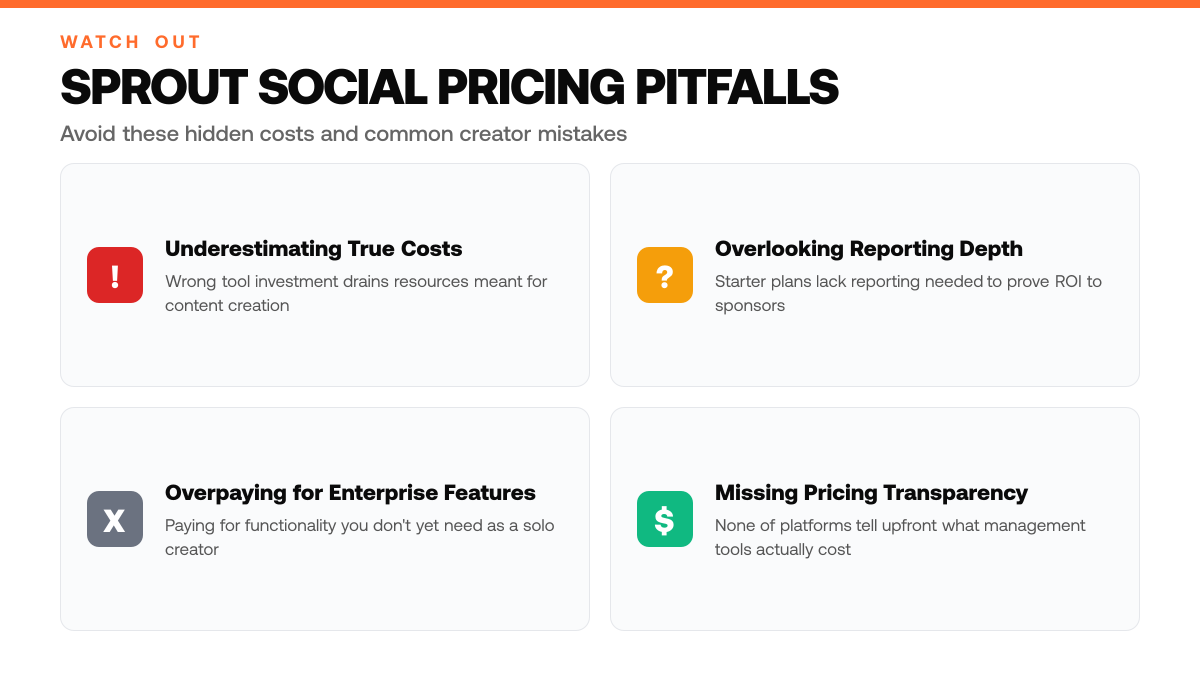
- Most creators overlook that starter plans may lack the reporting depth needed to prove ROI to sponsors, plan accordingly before upgrading.[2]
Understanding Sprout Social Pricing
What Is Sprout Social?
Sprout Social is a social media management platform designed to help creators and solopreneurs streamline their online presence. At its core, the platform unifies content scheduling, analytics, and audience engagement tools across multiple social channels, including X, Instagram, Facebook, and LinkedIn. Rather than logging into each platform separately to post content and monitor performance, creators use Sprout Social's dashboard to manage everything from one place. This centralized approach saves time and reduces the friction of juggling multiple logins and dashboards, making it especially valuable for solo creators who wear many hats.[3]
Why Pricing Tiers Matter for Creators
Sprout Social offers multiple pricing tiers, each bundling different features and capabilities. Understanding what's included at each level helps you avoid overpaying for functionality you don't yet need while ensuring you have the tools necessary to grow. A solo creator just starting out may only require basic scheduling and follower metrics, whereas a more established creator monetizing their audience might need advanced analytics, team collaboration features, or deeper audience insights. Matching your plan to your actual workflow and goals ensures you're investing wisely in tools that directly support your growth strategy, not paying for enterprise features you'll never use.[3]
The Creator Economy and Social Media Management
The creator economy has grown significantly, with more solopreneurs building audiences and monetizing influence across social platforms. As competition intensifies, creators need reliable data about what content resonates with their audience. Social media management platforms have become essential infrastructure for anyone serious about growing followers and increasing impressions. Tools that combine scheduling, analytics, and engagement in one place help creators make data-driven decisions rather than guessing which posts will perform. For X-focused creators, this means understanding audience behavior, tracking engagement trends, and optimizing posting schedules, capabilities that directly impact monetization potential.
Step-by-Step Process
1. Assess your current posting volume and account count
Before selecting a Sprout Social plan, count how many social accounts you actively manage and estimate your typical posting frequency per week. Solo creators often start with a single X account posting daily or several times weekly. Document whether you're managing one account or juggling multiple platforms. This baseline determines whether you need a starter plan designed for light usage or a tier built for higher-volume content calendars. Sprout Social tiers scale with posting capacity, so knowing your actual frequency prevents overpaying for unused features or undershooting your needs.[4]
2. Define your analytics and reporting requirements
Identify what metrics matter most to your growth strategy. Do you need basic engagement tracking, or do you require deeper audience insights, competitor benchmarking, and detailed performance reports? Sprout Social plans offer varying levels of analytics depth, some tiers provide foundational metrics while premium options unlock advanced segmentation and custom reporting. Clarify whether you're tracking impressions, follower growth, click-through rates, or audience demographics. This clarity ensures you don't pay for enterprise-grade analytics if simple engagement metrics suffice, or vice versa.[4]
3. Compare tier features against your monetization goals
Match each Sprout Social plan's capabilities to your specific revenue objectives. If you're monetizing through sponsorships, you may need robust audience insights to pitch to brands. If you're driving traffic to a product or service, focus on plans offering link tracking and conversion monitoring. Review what each tier includes, content calendar limits, team collaboration features, approval workflows, and assess whether those align with how you actually work. Selecting the right tier prevents unnecessary expense while ensuring you have the tools needed to execute your growth strategy effectively.[4]
How This Works in Practice
Example 1: The Daily X Poster Building Initial Traction
Picture a solo creator who posts to X 5 times a day and wants to understand which tweets drive the most engagement. She's been posting consistently for several weeks but has no systematic way to track performance, she scrolls through her feed manually and guesses at what works. With an entry-level tier, she gains access to basic analytics that show her impressions, engagement rates, and follower growth week over week. Within a few weeks, she spots patterns: her audience responds most to threads about her niche expertise, and engagement drops when she posts during off-peak hours. Armed with these insights, she adjusts her posting schedule and content mix. Her follower count begins climbing steadily, and she moves closer to monetization thresholds without needing advanced features like competitor benchmarking or sentiment analysis. The entry-level tier gives her exactly what she needs, clarity on what's working, without the complexity or cost of mid-tier tools.
When to Upgrade Your Sprout Social Plan
| Growth Stage | Current Need | Plan Consideration |
|---|---|---|
| Just starting to build audience | Basic scheduling and follower metrics | Entry-level plan sufficient |
| Approaching monetization | Advanced analytics and audience insights | Mid-tier plan recommended |
| Monetizing with sponsor deals | Reporting depth to prove ROI to sponsors | Higher tier with robust analytics |
| Managing multiple creators or team | Team collaboration and deeper audience data | Enterprise-level features needed |
Example 2: The Solopreneur Juggling Multiple Platforms
Imagine a solopreneur managing a personal brand across X, LinkedIn, and Instagram while also running a small consulting business. She's posting regularly on all three platforms but struggling to understand which channels drive real business inquiries and which are just vanity metrics. A basic analytics dashboard isn't enough, she needs to track audience sentiment across platforms, identify which topics spark conversation, and optimize her content calendar to maximize reach without burning out. With mid-tier features, she gains access to cross-platform performance reports, audience insights that reveal what her followers actually care about, and content recommendations based on trending topics in her industry. She can now see that her X audience skews toward decision-makers interested in strategy, while her Instagram followers want behind-the-scenes insights. She reallocates her effort accordingly, posting strategic content on X and lifestyle content on Instagram. Her consulting inquiries increase, and she feels confident that her content strategy is data-driven rather than guesswork.
Why the Right Tier Accelerates Growth
Both creators succeeded not because they had more followers or more time, but because they matched their tool tier to their actual needs. The first creator needed visibility into basic performance; the second needed cross-platform intelligence to optimize strategy. Choosing the right tier means you're not paying for features you won't use, and you're not leaving growth on the table by missing insights you need. The key is honest assessment: if you're posting daily and learning what works, an entry-level tier gets you there. If you're managing multiple channels and chasing audience sentiment, mid-tier features become the difference between guessing and knowing.
Sprout Social Tier Selection Checklist
- Review your growth strategy and list all analytics, scheduling, and engagement tools your X audience-building plan requires.
- Cross-reference each required tool against Sprout Social's tier feature matrix to confirm availability at your budget level.
- Test Sprout Social's free trial or request a demo to verify the tier's analytics depth meets your impression and follower tracking needs.
- Compare the scheduling limits and content calendar features of your target tier against your posting frequency for X.
Common Mistakes to Avoid
Mistake: Choosing an enterprise plan when your audience size fits a mid-tier offering
Solo creators often assume they need the most comprehensive plan available, but enterprise tiers are engineered for large teams managing multiple accounts across brands. This overspend locks you into higher monthly costs without unlocking features your current follower count actually requires. Audit your audience size and content volume against each tier's stated limits, most growing creators find mid-tier plans deliver everything needed to manage X presence, schedule posts, and track engagement without unnecessary overhead.
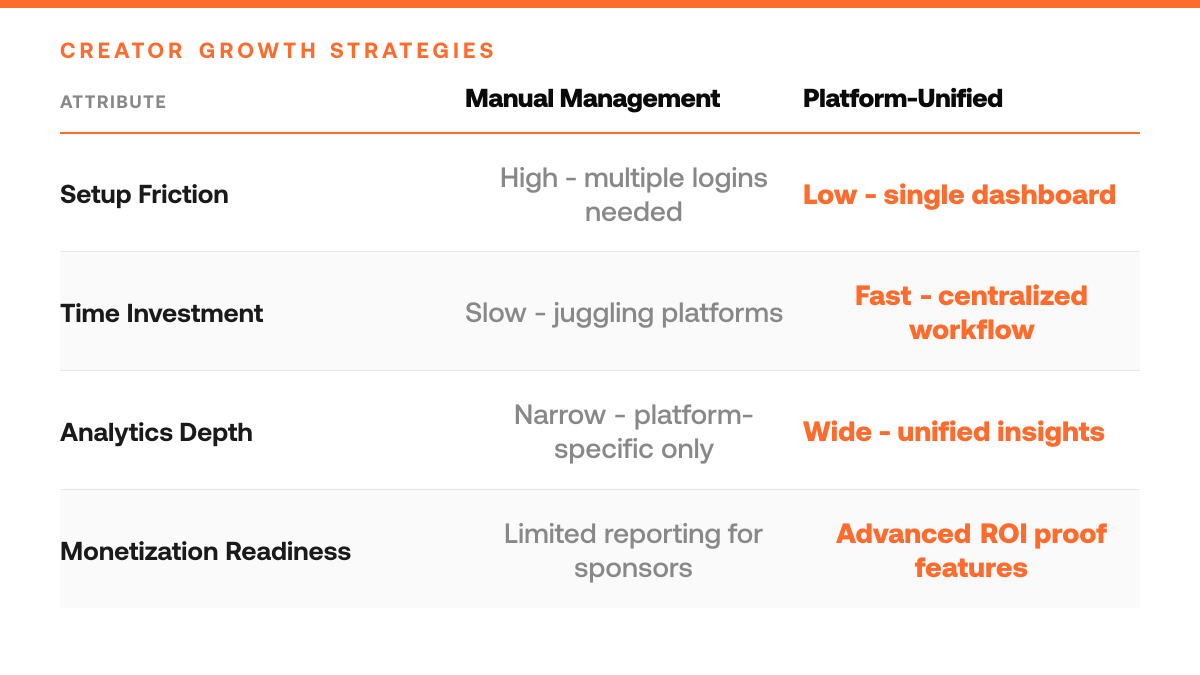
Solo Creator Workflow: Manual vs. Sprout Social
| Task | Without Platform | With Sprout Social |
|---|---|---|
| Managing multiple accounts | Log into each platform separately | Unified dashboard across all channels |
| Scheduling content | Post directly to each platform individually | Batch schedule across multiple channels |
| Tracking performance | Check analytics on each platform manually | Centralized analytics and engagement tracking |
| Making content decisions | Guess which posts will perform | Data-driven insights about audience behavior |
Mistake: Selecting a cheaper plan that excludes built-in analytics
The temptation to minimize costs can lead you to pick a stripped-down tier that lacks native performance insights. Without analytics, you lose visibility into which content resonates, when your audience is most active, and how impressions trend over time, data essential for optimizing your monetization strategy. Even a modest analytics upgrade pays for itself when it reveals which post types drive engagement and follower growth, letting you double down on what works.
Mistake: Ignoring free or trial periods before committing to annual billing
Creators often rush into yearly subscriptions to secure a discount, then discover the plan's workflow or feature set doesn't match their posting habits. Take advantage of free trials or monthly billing first to confirm the interface, scheduling tools, and reporting align with how you actually create and publish. A few weeks of hands-on testing prevents buyer's remorse and ensures you're paying for a tool you'll genuinely use daily.
Frequently Asked Questions
Does Sprout Social offer a free trial before I commit to a paid plan?
Yes, Sprout Social provides a free trial that lets you explore the platform's core features without entering payment information upfront. This trial period allows solo creators and solopreneurs to test whether the tool fits your workflow, content calendar, and analytics needs before upgrading to a paid tier. It's a low-risk way to evaluate if the platform's X-focused features align with your growth goals.[1]
Can I downgrade, upgrade, or cancel my plan at any time?
Contract terms, cancellation policies, and the ability to switch between tiers vary depending on which plan you choose and your billing cycle. Some tiers offer more flexibility than others, monthly plans typically allow changes more readily than annual commitments. Review your specific tier's terms before signing up to understand what happens if your needs shift or you want to scale back.[1]
What's the difference between monthly and annual billing?
Monthly billing gives you flexibility to adjust or cancel with shorter notice, while annual plans usually lock you in for a full year but may offer a discount compared to paying month-to-month. The trade-off is commitment: annual billing works well if you're confident in your tool choice, while monthly suits creators still testing their tech stack or expecting rapid growth that might push them to a higher tier.[1]
Start your 7-day trial
Grow on X without sounding like everyone else. The right tool learns from your top posts and the leading voices in your niche, then drafts content in your voice. You edit, approve, and ship.
Start free trialSources
Read next
- Hypefury Pricing 2026: What You'll Actually Pay - Hypefury Pricing 2026: What You'll Actually Pay. A practical guide to what works, what to skip, and how to get started.
- Buffer Pricing 2026: What You'll Actually Pay - Buffer Pricing 2026: What You'll Actually Pay. A practical guide to what works, what to skip, and how to get started.
- X Locked for Suspicious Activity: Unlock in 5 Minutes - X Locked for Suspicious Activity: Unlock in 5 Minutes. A practical guide to what works, what to skip, and how to get started.