If you manage posts across multiple social channels, you've likely felt the friction of juggling scheduling tools, analytics dashboards, and content calendars. Creators building an audience on X face a particular challenge: they need to understand what resonates with their followers, track growth metrics, and post consistently, all without drowning in enterprise software bloat designed for marketing teams.
Buffer has become a core scheduling tool for creators managing X alongside other platforms, offering a way to batch-post content and monitor performance. In 2026, Buffer's pricing structure has shifted to reflect what creators actually need: analytics depth and audience growth insights without the unnecessary features that inflate costs for solo operators.[2]
This article breaks down what Buffer's 2026 pricing tiers cost, which features matter most for growing your X presence, and how to pick a plan that scales with your audience without wasting budget on tools you'll never use. Most creators optimize for the posts they *think* will work, blind to the outlier formats their niche is already rewarding at 2-3x baseline engagement, ClimbX scans top accounts in your niche to surface those hidden patterns, then uses them as signals for your AI co-writer to draft posts in your voice that compound growth over time.
TL;DR
- Buffer offers tiered pricing in 2026 spanning free and premium options, letting solo creators match their budget to growth stage.
- Most solo creators find mid-tier plans deliver the best return on investment for scheduling, analytics, and audience growth without overpaying.
- The key trap: choosing based on feature count alone rather than which tier aligns with your actual posting frequency and monetization timeline.[3]
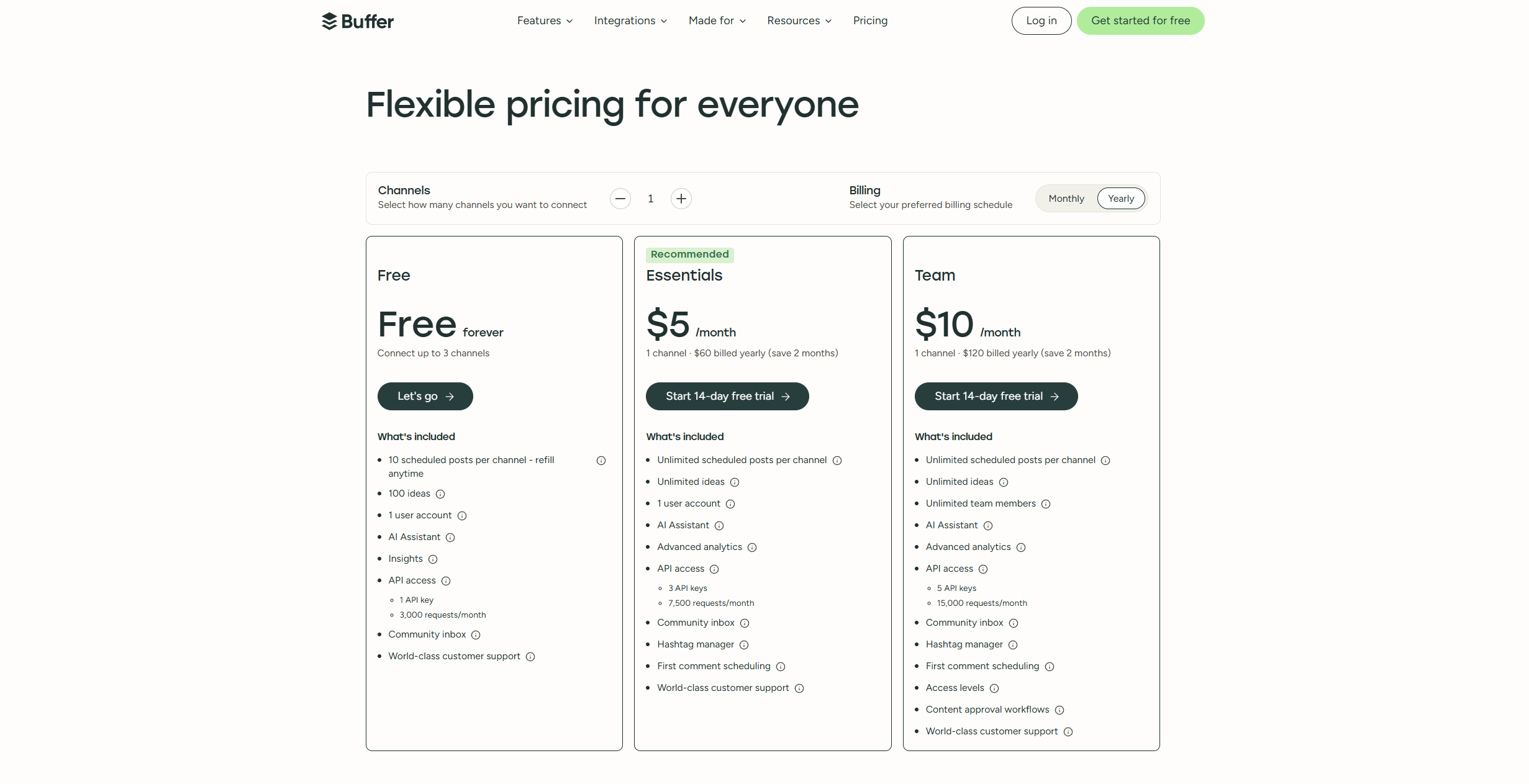
Buffer's published pricing, captured July 2026 - one channel, yearly billing
Understanding Buffer Pricing 2026
What Is Buffer Pricing?
Buffer pricing refers to the tiered subscription plans that determine which scheduling, analytics, and audience management features creators can access. Each tier unlocks different capabilities, from basic post scheduling to advanced audience insights and content performance tracking. For solo creators on X, understanding these tiers means knowing exactly which tools you'll get at each price point, helping you avoid overpaying for features you won't use or missing critical tools that drive your growth and monetization strategy.[4]
Why Buffer Pricing Matters for Your Growth
Creators often assume all scheduling tools are the same, but Buffer's value proposition centers on more than just posting, it's about saving time while gaining actionable analytics and audience insights that directly impact your ROI. When you know what each tier unlocks, you can make an informed decision about which plan aligns with your current audience size and monetization goals. Choosing the right tier means you're investing in the specific insights and scheduling depth you actually need to grow followers, increase impressions, and eventually monetize your influence.
The Creator Scheduling Landscape in 2026
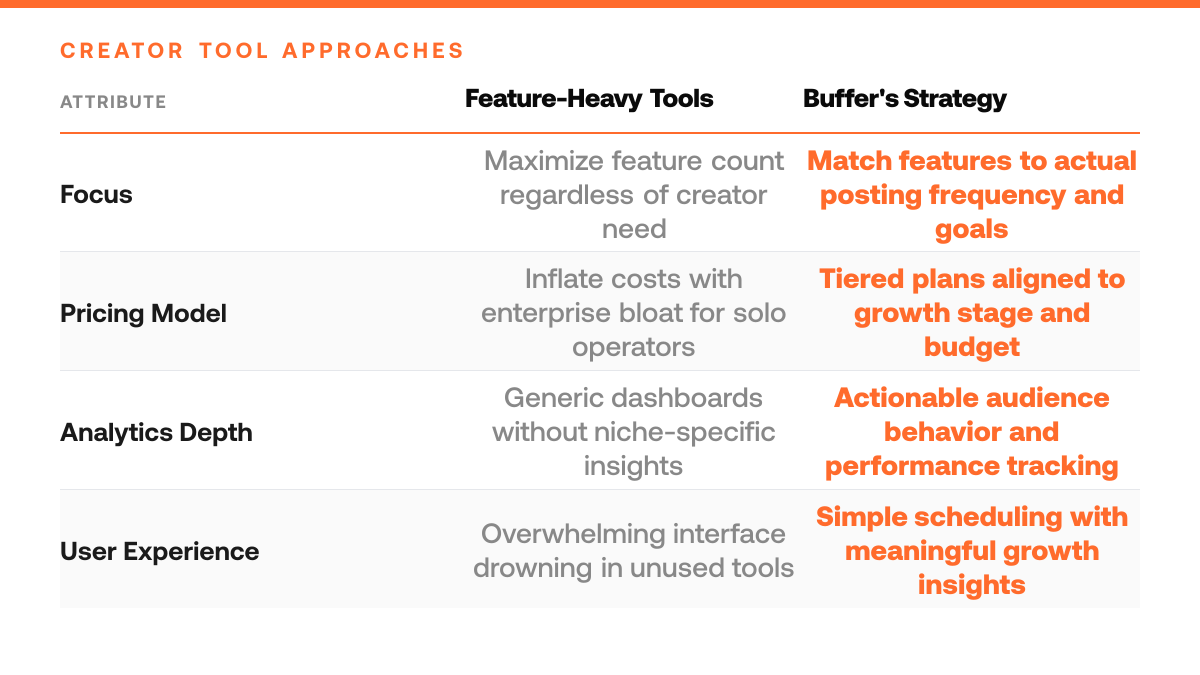
The market for creator tools has expanded significantly, with multiple platforms offering scheduling and analytics. However, not all solutions provide the same balance of ease-of-use, audience intelligence, and pricing transparency. Buffer's approach focuses on helping creators understand their audience behavior and optimize posting strategy, differentiating it from tools that simply queue content without the insights needed to drive meaningful engagement and follower growth.
Step-by-Step Process
1. Audit your current posting volume and channel count
Count how many posts you publish per week across all platforms you actively manage. List each channel separately, X, LinkedIn, Instagram, TikTok, or others. Document the total number of channels you maintain. This baseline reveals whether you need a starter plan for light posting or a higher tier that accommodates frequent, multi-channel scheduling. Solo creators often underestimate their actual posting cadence until they measure it.
2. Assess your analytics depth requirements
Determine what metrics matter most to your growth goals. Do you need basic engagement counts, or do you require deeper insights into follower demographics, optimal posting times, and content performance trends? Some plans offer limited analytics dashboards while others unlock detailed audience insights. Clarify whether you're tracking vanity metrics or actionable data that informs your content strategy.
3. Test a tier before committing long-term
Start with a monthly subscription rather than an annual plan. This approach lets you evaluate whether the feature set actually fits your workflow without overcommitting financially. Use the trial period to schedule content, review the analytics dashboard, and confirm the tool integrates smoothly with your posting habits. If the tier doesn't deliver what you expected, switching to a different plan costs far less than being locked into a yearly contract.
4. Compare feature availability across tiers
Review what each pricing level unlocks, team collaboration, advanced scheduling, content calendar depth, API access, or AI-powered suggestions. Match these features to your immediate needs and realistic growth trajectory over the next six months. Avoid paying for premium features you won't use, but ensure the plan you choose doesn't force you to upgrade within weeks as your audience grows.
How This Works in Practice
Example 1: The Solo X Creator With One Channel
Picture a solo creator who posts 5 times a week on a single X account, a mix of threads, commentary, and short-form tips aimed at a growing niche audience. She's tempted by Buffer's higher tiers but, when she maps her actual workflow, realizes she never needs to manage more than one channel or schedule more than a handful of posts at a time. The free or entry-level plan covers her cadence comfortably, and the analytics she gets are enough to tell her which post formats are landing. Upgrading would add cost without adding capability she'd actually use. For her, the right tier isn't the most powerful one, it's the one that matches her real output without leaving money on the table.
Do / Don't: Choosing Your Buffer Tier
| Practice | Do This | Don't Do This |
|---|---|---|
| Assess posting volume | Count weekly posts across all channels you actively manage | Assume all scheduling tools are the same without auditing your needs |
| Match tier to growth stage | Pick a plan that aligns with your current audience size and monetization goals | Choose based on feature count alone rather than actual posting frequency |
| Evaluate analytics depth | Select a tier that provides actionable audience insights and engagement tracking | Overpay for enterprise features designed for marketing teams, not solo creators |
| Plan for scaling | Start with a tier that accommodates your current channels and leaves room to grow | Lock into a plan without considering how your posting volume may increase over time |
Example 2: The Creator Managing 3 Channels With Daily Content
Suppose a solopreneur running 3 separate X accounts, one personal brand, one niche community, and one product-focused channel, who commits to posting daily across all of them. At that volume, the free tier's queue limits become a bottleneck within days, and manually juggling drafts across accounts eats into the time he should be spending on content quality. Stepping up to a mid-tier plan unlocks multi-channel scheduling and deeper per-post analytics, which lets him spot which account is driving the most follower growth and double down there. The upgrade pays for itself not in abstract ROI promises, but in hours recovered and a content rhythm he can actually sustain week after week.
Why Your Workflow Decides the Tier
Channel count and posting cadence, not ambition, should drive your Buffer plan choice. Match the tier to your actual output, and the cost takes care of itself.
Buffer Pricing Upgrade Checklist
- List all features you currently use in your Buffer tier to identify gaps and overlaps before considering an upgrade.
- Compare the new features in the next pricing tier against your content strategy to confirm they directly support your growth goals.
- Calculate the monthly cost difference and estimate the revenue impact each new feature could generate for your creator business.
- Test a higher tier for a trial period to measure whether the additional tools actually improve your posting consistency or audience engagement.
- Review your posting frequency and audience size to ensure you've maxed out your current plan's capacity before paying for more.
Common Mistakes to Avoid
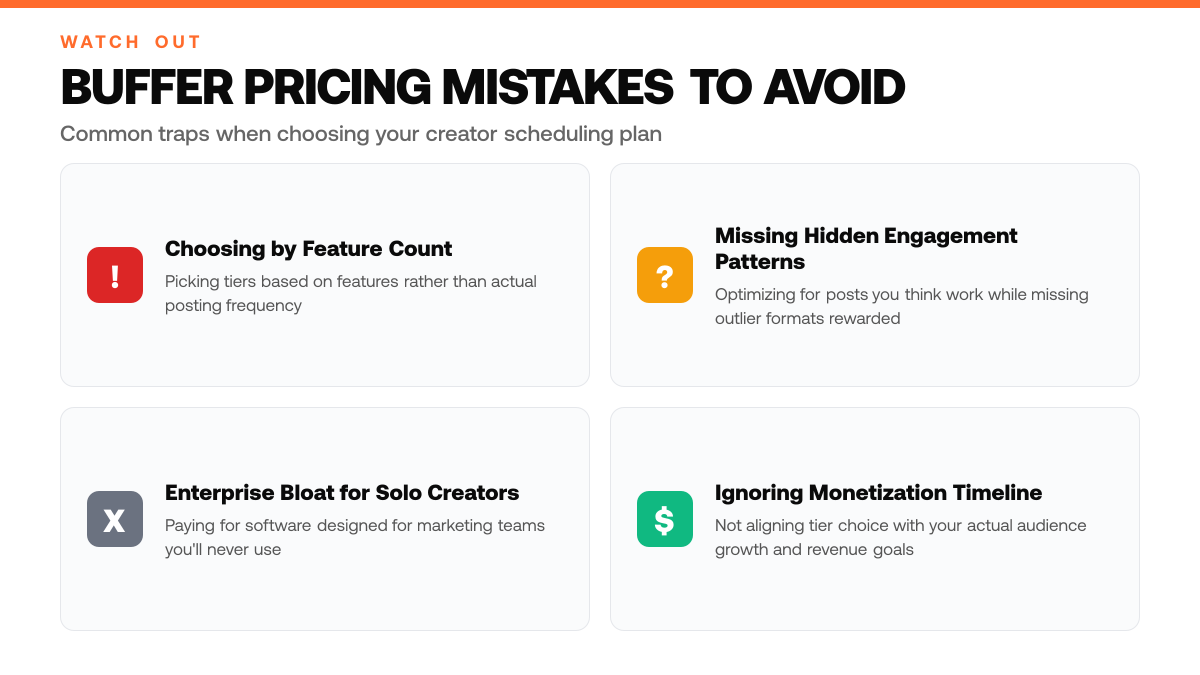
Mistake: Upgrading to a higher tier without checking if you're maxing out your current plan's post limits or channel slots
Creators often assume they've outgrown their current tier when they haven't exhausted its core features. This leads to paying for premium tiers with unused capacity. Audit your actual monthly posting volume and active channels first, compare against your plan's limits before upgrading. Many solo creators find their existing tier covers their real needs once they map usage honestly.[1]
When to Use Each Buffer Tier
| Creator Stage | Right Fit | Key Consideration |
|---|---|---|
| Just starting out | Free or starter plan for light posting | Minimal channel count and posting frequency |
| Building consistent audience | Mid-tier plan with scheduling and basic analytics | Need actionable insights to optimize engagement and follower growth |
| Monetizing influence | Premium tier with advanced audience insights | Require deep performance tracking and content pattern analysis across channels |
Mistake: Confusing scheduling volume with analytics depth when choosing a tier
A higher tier doesn't automatically improve audience growth, it may just add scheduling slots or channel capacity you don't need. Analytics depth (which metrics you can track) is separate from posting frequency. Evaluate whether you actually need more detailed reporting to grow followers and impressions. If your current tier's analytics already show what drives engagement, upgrading for scheduling alone wastes budget.[1]
Mistake: Treating all premium features as essential for monetization
Not every paid feature directly supports follower growth or monetization goals. Some advanced tools target agencies or large teams managing multiple accounts. As a solo creator, prioritize features that directly impact content performance and audience reach. Skip premium add-ons that sound useful but don't align with your specific growth strategy, this keeps costs aligned with actual ROI.
Frequently Asked Questions
Is Buffer's free tier enough to grow my X audience?
Buffer's free tier is useful for testing the platform and learning scheduling basics, but it lacks the analytics depth and posting frequency needed to seriously grow your audience or prepare for monetization. The free plan limits how many posts you can schedule and doesn't provide the performance insights required to understand what content actually resonates with your followers. To unlock scheduling depth, audience analytics, and the data needed to optimize for growth, you'll need to upgrade to a paid tier.[5]
Should I pay monthly or choose annual billing?
Annual billing typically offers a discount compared to month-to-month pricing, making it the better choice if you're committed to growing your audience long-term. Monthly billing gives you flexibility to pause or cancel if your needs change, which works well when you're first testing Buffer's paid features. Choose annual if you're ready to invest in consistent posting and analytics; choose monthly if you're still evaluating whether Buffer fits your workflow.[5]
How do I know which Buffer plan to upgrade to?
Start by assessing your current posting frequency and audience size. If you're posting multiple times daily across several accounts and need detailed analytics to guide your content strategy, a higher-tier plan is necessary. Buffer's paid tiers scale with your needs, as your audience grows and you want to schedule more posts or access advanced features, you can upgrade to a plan that matches your new volume and monetization goals.[5]
Sources
Read next
- Hypefury Pricing 2026: What You'll Actually Pay - Hypefury Pricing 2026: What You'll Actually Pay. A practical guide to what works, what to skip, and how to get started.
- Typefully Pricing 2026: What You'll Actually Pay - Typefully Pricing 2026: What You'll Actually Pay. A practical guide to what works, what to skip, and how to get started.
- Sprout Social Pricing 2026: What You'll Actually Pay - Sprout Social Pricing 2026: What You'll Actually Pay. A practical guide to what works, what to skip, and how to get started.